Laravel ships with the log mail driver enabled by default.
While this is useful for quick testing, it has major limitations: all emails are written as plain text into storage/logs/laravel.log, making it difficult to debug layout, HTML rendering, attachments, and headers.
mockmail.io provides a much better workflow: a virtual SMTP server with real inboxes, where you can see the final rendered HTML, plain text, headers, and attachments — without delivering emails to real users.
In this guide, you will learn how to connect a Laravel application to mockmail.io and debug emails the right way.
Prerequisites
To follow along, you'll need:
- A Laravel application (any version)
- PHP + Composer installed
- A mockmail.io account
- One inbox created inside mockmail.io
Create a Test Inbox on mockmail.io
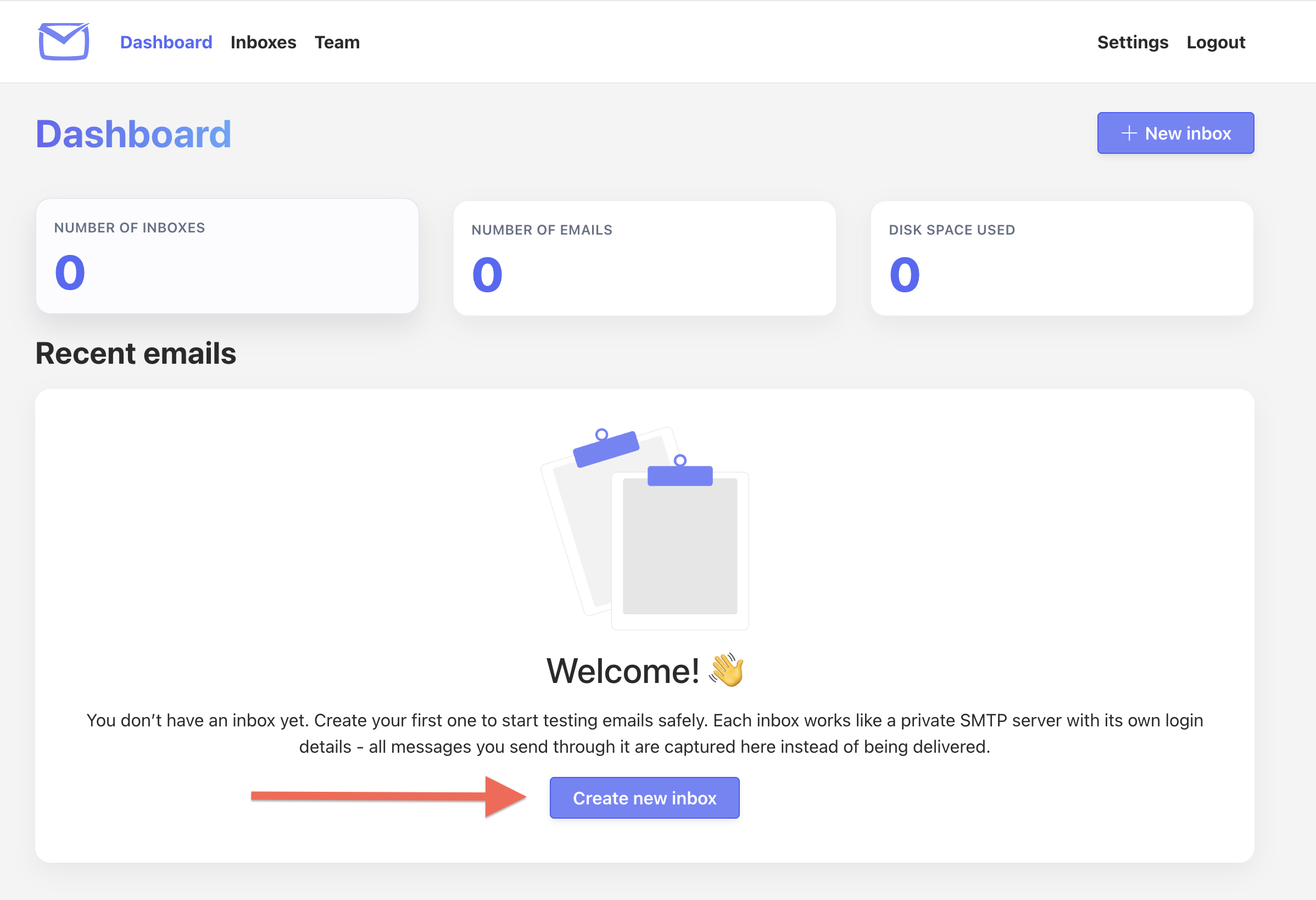
First you need to create a new mockmail.io account. Then you need to add a new debug inbox, by clicking the "Create new inbox" Button:
Each inbox comes with its dedicated SMTP credentials, which can be used inside your laravel .env file.
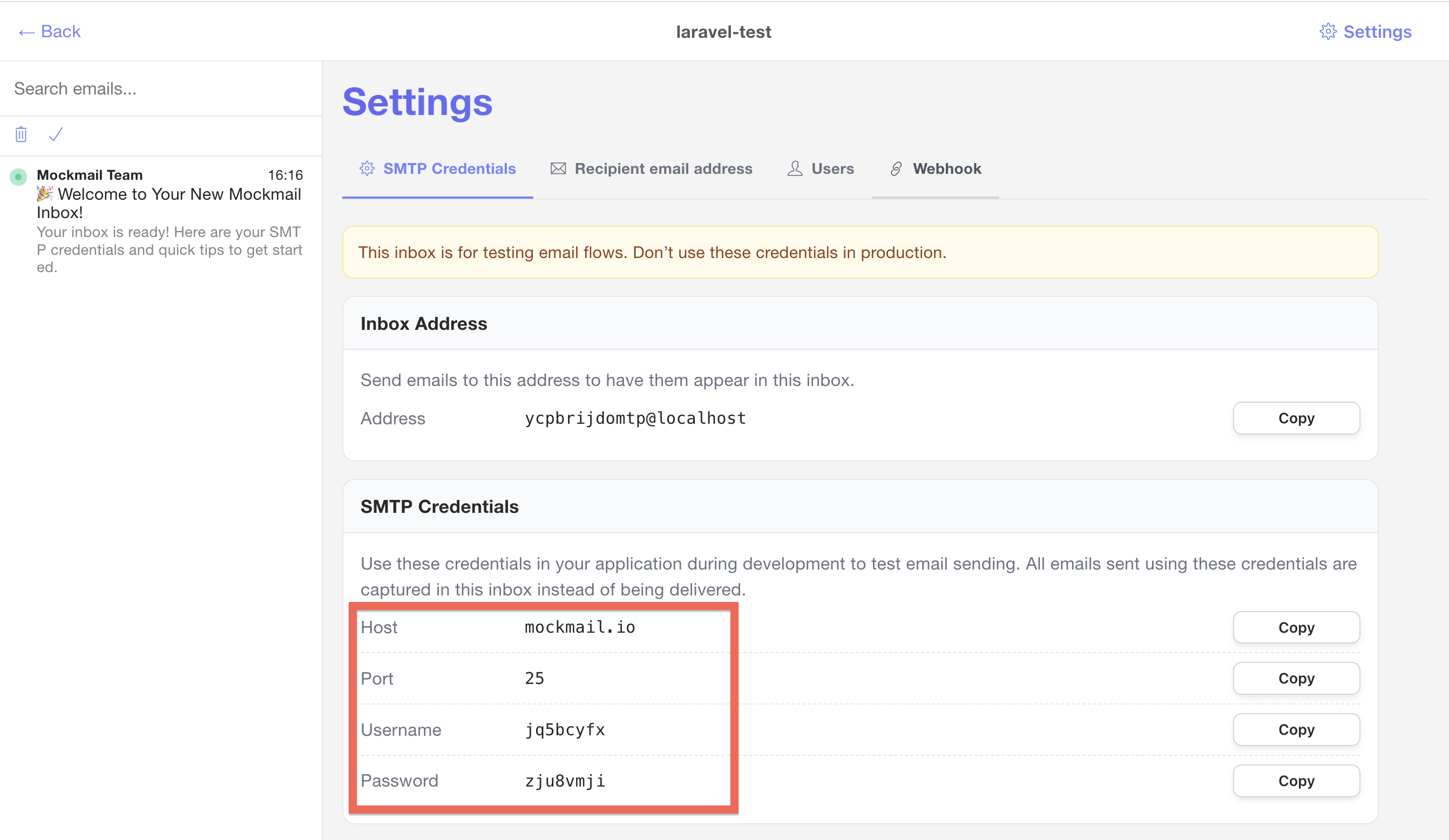
Configure Laravel to Use mockmail.io SMTP
Open your .env file in the laravel projects root folder and replace your Laravel mail settings with:
MAIL_MAILER=smtp
MAIL_HOST=mockmail.io
MAIL_PORT=25
MAIL_USERNAME="YOUR_INBOX_USERNAME"
MAIL_PASSWORD="YOUR_INBOX_PASSWORD"
MAIL_ENCRYPTION=tls

MAIL_FROM_ADDRESS="demo@example.com"
MAIL_FROM_NAME="${APP_NAME}"
Replace the placeholders YOUR_INBOX_USERNAME and YOUR_INBOX_PASSWORD with the exact values from your inbox.
Then clear Laravel's cache:
php artisan config:clear
php artisan cache:clear
Create a Simple Laravel Email
Step 1: Create a mailable
php artisan make:mail DemoMail
This generates app/Mail/DemoMail.php.
Step 2: Add some HTML content
public function build()
{
    return $this->subject('Demo Email from Laravel')
        ->view('emails.demo');
}
Create the view:
resources/views/emails/demo.blade.php
<!DOCTYPE html>
<html>
    <body>
        <h1 style="color: #4A90E2;">Laravel Email Debugging Demo</h1>
        <p>
            This is a test email sent using
            <strong>mockmail.io</strong>
            .
        </p>
    </body>
</html>
Trigger the Email
Add a quick route to test sending in your routes/web.php:
use App\Mail\WelcomeEmail;

Route::get('/send-test-email', function () {
    $name = 'John Doe';
    $email = 'john.doe@example.com';

    // Send the email
    Mail::to($email)->send(new WelcomeEmail($name, $email));

    return 'Email sent!';
});
Open the URL in the browser:
http://localhost:8000/send-test
You should see "Email sent!".
View the Email in mockmail.io
Go to your mockmail.io inbox, your email should now appear there. After clicking on the email, the email should be displayed fully rendered:
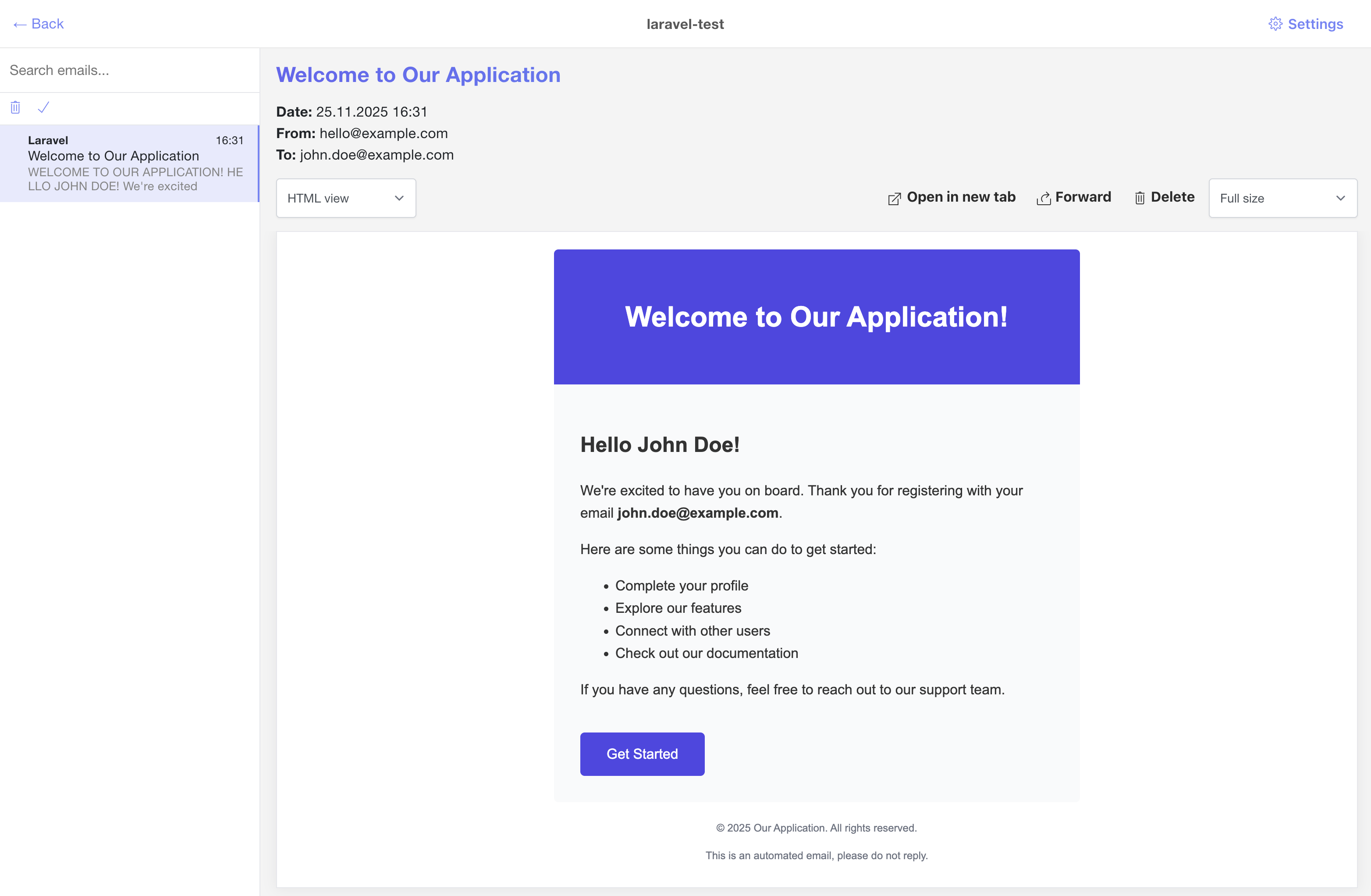
Besides the rendered HTML, you can also inspect the raw email source code, text preview, attachments or display how your HTML mail might be rendered on different devices or viewports. This provides far more context than the Laravel log driver.
Debugging More Complex Laravel Emails
mockmail.io works seamlessly with:
Markdown Mails
Laravel's Markdown mail templates render perfectly in the HTML preview.
Attachments
If you send reports, PDFs, or images, they appear in the attachments tab.
Queued Emails
Queued or delayed jobs behave exactly as real email sending.
Multiple Inboxes
Each developer can use their own inbox or a shared inbox, used by multiple
Using mockmail.io in Team Environments
Benefits for teams:
- No risk of accidentally emailing real people
- Each developer works with isolated mailboxes
- Helps QA teams verify emails visually
- Webhook forwarding for CI-based tests (optional)
If you run a dev, staging, or CI environment, mockmail.io helps you safely test the full email flow.
Troubleshooting
Email not appearing?
- Ensure
MAIL_MAILER=smtpis set - Double-check mockmail.io SMTP credentials
- Make sure Laravel is not still using cached config
Connection refused?
Docker users: expose the mail port to the container:
docker run -p 1025:1025 ...
Summary
Laravel's default log mail driver is fine for quick tests — but not enough when you need:
- HTML previews
- Header inspection
- Attachment debugging
- Clean separation of emails
mockmail.io provides a safe, developer-friendly virtual SMTP environment that lets you debug emails exactly as they would look in a real mailbox.
Get Started
Create your free inbox at https://mockmail.io and try it out with your Laravel project today.